
Your team is using AI.
See it, secure it, say yes.
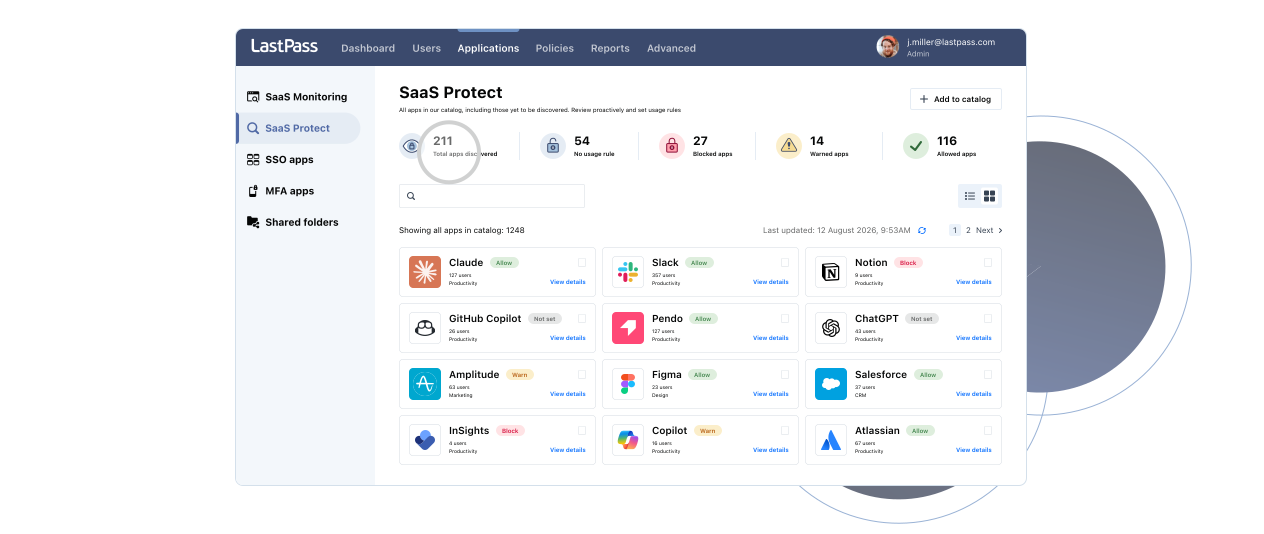
Know which AI tools your employees are using and how they're logging in, so you can roll out AI across your organization quickly and safely.
Looking for personal password management? Try Premium free for 30 days
Trusted by top companies





AI is outrunning IT oversight
You are expected to accelerate AI adoption and reduce risk at the same time. LastPass gives you the visibility and control to do both.
of organizations already have AI adoption underway.
have no enforced policy for how employees use AI.
of companies have tools in place to monitor and log AI usage.
Get the power to say yes with confidence
Gain visibility into AI use across your org so you can manage it on your terms.
See it
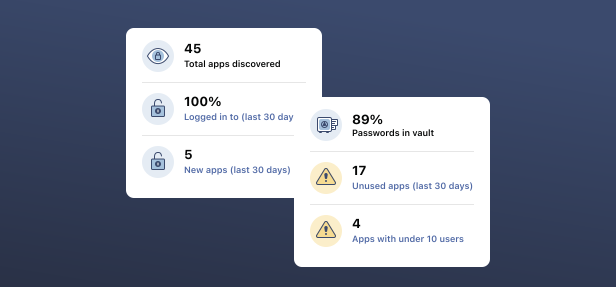
- See who's using what: View every employee accessing AI and other apps across your org, even if they signed up with a personal email.
- Know what tools are in use: Get a report of AI tools and SaaS apps running in your business, approved or not.
- Stay audit-ready: Meet compliance and partner requirements to keep data secure, maintain client confidence, and avoid costly fines.
- Catch credential risks early: Risk indicators flag weak, breached, expired, and reused credentials, helping admins address vulnerabilities before they lead to a breach.
Secure it
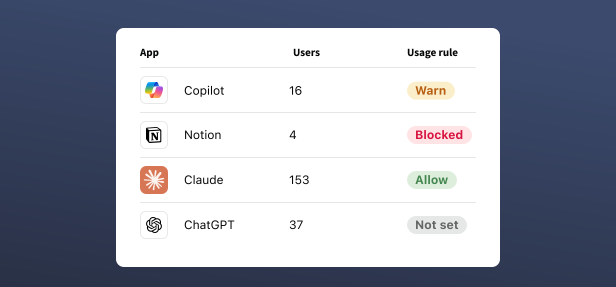
- Set the rules once: Approve trusted apps and AI tools and warn against unvetted ones, so your security policy works without you policing it.
- Secure more of the web with less work: Apply rules across entire website categories, from social media and gambling to phishing and malware, instead of managing sites one by one (beta).
- Keep sensitive data out of AI: Warn employees in real time when they try to share credentials, API keys, or personal information with AI tools (coming soon!)
- Reduce risk and cut costs: Identify and remove redundant SaaS apps and AI tools to exposure and reduce costs at the same time.
Secure access without IT complexity
LastPass gives you the power to discover and control the apps, AI tools, and websites your employees use, while securing how they log in, all right in the browser where work happens.
Up and running before your next request
No new agents to deploy. No long rollout.

Connect
Add LastPass across your team, using the browser extension or desktop and mobile apps.

See
Get visibility into your AI, SaaS, and website inventory, including tools you didn't know about, accounts created outside IT, and risks to your organization.

Decide
Approve what works, flag what doesn't, and secure every login along the way.
Security that works for everyone
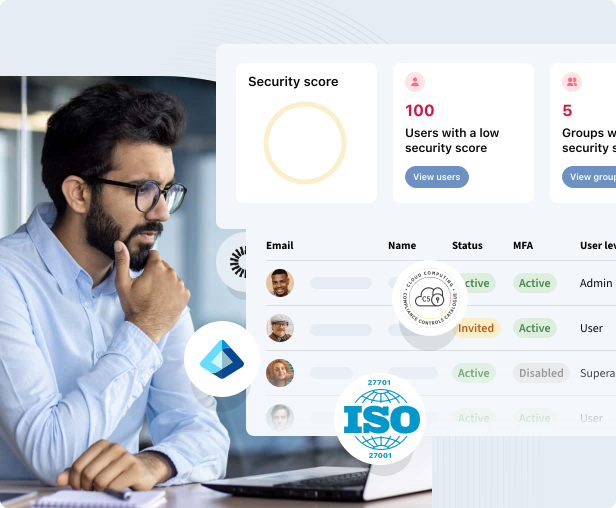
- Get visibility into the AI tools and SaaS apps in use across the organization and catch sensitive data before it reaches AI tools
- Set usage rules once, covering allowed websites, warnings, and access standards
- Block malicious and risky websites that cover phishing, malware, and non-work content in one click
- Answer the board, customers, and auditors with real data instead of estimates
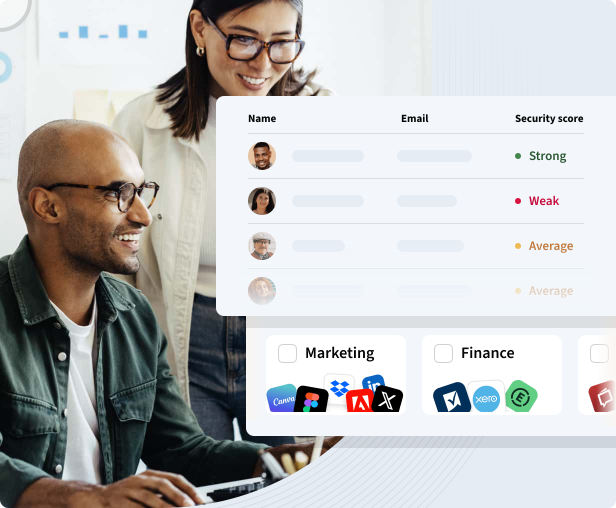
- Get your team credentials and access for approved tools fast, without waiting on IT
- Share logins securely, with no spreadsheets, sticky notes, or passwords sent over chat
- Keep workflows moving with autofill and shared vaults
- Control who sees what with role-based access you can update in seconds
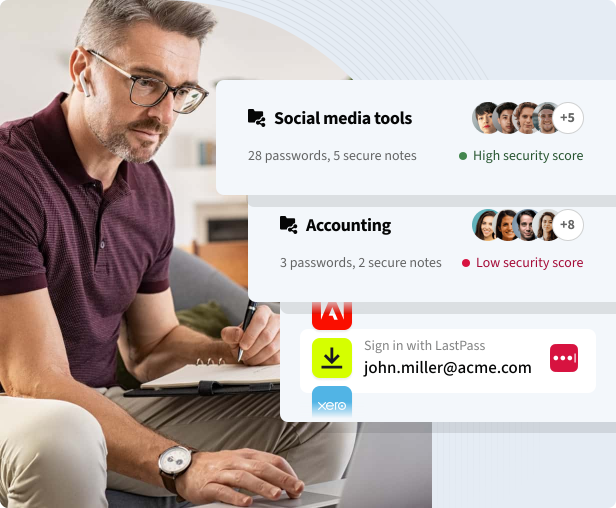
- Move faster than your competition while keeping data and access controlled
- Give employees, contractors, and partners the access they need without losing oversight
- Reduce duplicate and unmanaged software use
- Build a security habit your whole team can maintain, without extra training or overhead
Trusted by companies and individuals everywhere
Millions
Customers secure their passwords with LastPass

Chrome and App Store rating
Based on 79,300+ reviews

Leader in Password Management
Based on 1,599+ reviews100,000+
Businesses choose LastPass


“I like that LastPass is easy to use and intuitive. It integrates well with all websites and allows me to keep secure encryption for all my personal and work-related accounts. It allows me to organize folders, share with others, and only memorizing one master password for all of those while keeping encryption secure is a relief.”

Kenny Kolijn
Independent business coach
“People are experimenting with AI tools like OpenAI and Canva. We don’t want to block innovation, but we do want to guide it safely ... [LastPass is] smart, secure, and it works.”

Wout Zwiep
Process Engineer, Axxor

“I have been with LastPass for about two years now and it's one of those apps that you wonder why it took so long to start using. The absolute frustration of trying to keep track of passwords manually was so stressful. LastPass takes the stress away. It is extremely easy to use in my opinion, and has some great security features.”

Bart Nanni
Security services sales executiveChoose a plan that works for you
Try it for free, no credit card required.
Teams
Simple credential management for small teams and startups
For your small business or team:
-
Admin console to manage users
Admin console to manage users
Simple, unified control over your company's security, data breaches, accounts and policies from a single command center.
-
Shared folders
Shared folders
Share passwords and data in organized folders while controlling access through customizable permissions to ensure team members have the appropriate level of access and enhance collaboration and security.
-
Essential security policies
Essential security policies
Configure policies around security levels and password strength to ensure optimal protection.
Business
Effortless password and access management for small and medium-size businesses
Everything in Teams, plus:
- 100+ advanced security policies
-
LastPass Families for employees
LastPass Families for employees
Extend the convenience and protection of LastPass to your employees' families to reduce the risk of compromised personal accounts affecting workplace security. Each employee gets a personal LastPass account plus 5 licenses to share with family and friends.
-
Group user management
Group user management
Import or create groups to efficiently organize employees, optimize shared credentials, and establish group-specific policies, ensuring tailored security and access for every team.
Business Max
Advanced protection and secure access for any business with more admin control
Everything in Business, plus:
-
AI Monitoring & Protect
AI Monitoring & Protect
Discover AI tools used across your organization, govern access and usage, and enforce safe-prompt policies to reduce risk.
-
SaaS Monitoring & Protect
SaaS Monitoring & Protect
Get visibility into the apps used across your organization, identify security and spending risks, and take action to govern access and credential risks.
-
Web Monitoring & Protect
Web Monitoring & Protect
Gain visibility into website usage and enforce smarter access rules to reduce risk and costs.
-
Unlimited number of SSO apps
Unlimited number of SSO apps
“Unlimited SSO” adds Single Sign-On (SSO) to an unlimited number of apps, in addition to the three included in the base Business plan.
-
Advanced MFA capabilities
Advanced MFA capabilities
“Advanced MFA” extends passwordless authentication to all endpoints – workstations, VPNs, identity providers – by combining biometric and contextual policies.
Contact sales
Need a demo to see LastPass in action? Have questions about LastPass solutions and how they fit your business needs? Our sales team is here to help.
*Applicable taxes will be applied at checkout.
LastPass is ever evolving
Blog
Get the latest updates and security tips from LastPass Labs, cybersecurity intelligence, and product teams.
Resource center
Explore a library of expert insights, tools, tips, and resources to help simplify and strengthen your password management.
Trust Center
Learn more about why people trust LastPass: our privacy, product and operational enhancements, as well as well as our future plans.

Newsroom
See the latest media, news, and press releases about the happenings at LastPass.
Frequently asked questions
LastPass Business Max delivers credential security, SaaS app discovery, AI tool governance, and web access controls in the browser, where work (and risk) increasingly happens.
If your employees are using unapproved AI tools, it becomes harder to manage risks such as duplicate subscriptions and data exposure. LastPass Business Max provides visibility into shadow SaaS usage and web activity before risk becomes a security or compliance issue.
Most importantly, this visibility is delivered through the browser, so you can gain insight without deploying additional agents or infrastructure.
Common shadow AI detection tools organizations typically use include SaaS monitoring and shadow SaaS discovery capabilities.
If you're a small or midsized team, complex deployments can increase your operational burden.
LastPass is an enterprise SaaS security solution that helps you discover AI usage through browser-based visibility, making it easier to assess potential risks without requiring more staff or additional infrastructure.
A helpful way to explain AI governance is to focus on SaaS app security, not people.
In other words, AI governance isn't about employee surveillance. LastPass Business Max provides visibility into your shadow SaaS landscape and supports your organization's usage rules. It doesn't monitor employee chatbot conversations.
Effective AI governance combines visibility provided by SaaS security tools with real-time guidance at the moment of risk.
LastPass Business Max supports this approach with:
- AI Monitoring [shadow AI tool discovery], which provides expanded visibility into employee AI usage across supported AI platforms
- AI Protect [AI usage guidance], which provides real-time, in-browser warnings before employees share sensitive data with AI tools
The most successful organizations pair awareness training with clear usage rules and contextual guidance. This helps employees make better decisions without hindering productivity.
LastPass Business Max supports safe AI usage through:
- AI Monitoring [shadow AI tool discovery], which provides expanded visibility into employee AI usage across supported AI platforms
- AI Protect [AI usage guidance], which provides real-time in-browser warnings before employees share sensitive data with AI tools
- SaaS Protect, which enables granting, restricting, or blocking access to SaaS and AI apps according to your organization’s risk tolerance
SaaS sprawl is one of the most common causes of wasted IT spend. According to the LastPass 2026 State of AI and SaaS Security Report, 64.4% of SaaS apps are redundant, duplicating the function of another app already in the stack.
As your organization adopts more apps, it becomes increasingly difficult to track which apps are actively used and which should be terminated.
LastPass Business Max helps you gain visibility into SaaS usage patterns, so you can identify underutilized/abandoned apps, reduce redundant spending, and improve app governance.
Traditional CASB or SSPM tools can provide powerful visibility and control capabilities. But they often require significant deployment and maintenance.
For many small and midsized organizations, the challenge is finding a practical way to manage SaaS and AI adoption without deploying new infrastructure.
If you're looking for a simpler alternative to traditional CASBs and SSPMs, LastPass Business Max provides shadow SaaS visibility, browser-level AI tool governance, and enterprise web filtering without requiring agents, proxies, or network changes.
Business web filtering can help reduce your organization's exposure to phishing, malware, and other unsafe online content.
Traditionally, web filtering required network infrastructure changes. But modern approaches can apply protection in the browser, where work predominantly happens.
LastPass Business Max's Web Protect lets you apply usage rules across website categories, so you can manage risk at scale without maintaining lists of individual domains.
Effective protection combines credential security, phishing-resistant MFA, awareness training, and risk-based website controls.
LastPass Business Max can help you with this by combining credential lifecycle management with browser-based business web filtering from a single platform.
Awareness training sets expectations but doesn't enforce them at the moment of risk.
LastPass Business Max includes AI Protect, which delivers real-time, in-browser warnings when someone tries to paste sensitive data such as credentials, API keys, or personal info into an AI tool.
Every warning interaction is automatically logged in your User Activity list, so you have a record of when it happened and which tool was involved, all without reading anyone's prompts or chats.
While storing and autofilling passwords is still the foundation, the standards for credential management have changed.
Today, the most common access risks aren't just weak passwords. When employees sign into unapproved SaaS tools, reuse credentials across personal and work accounts, or share sensitive info with AI platforms, the risks compound for your organization.
If you're evaluating credential management for a lean team, one of the most important questions you can answer is, "How much of our access risk can one platform cover?"
LastPass Business Max was designed to provide that answer with AES-256 credential security, shadow SaaS visibility, in-browser AI governance, and web-level controls, all managed from the browser without requiring agents, proxies, or network updates.
You can access LastPass Business Max and capabilities such as AI Monitoring/Protect, SaaS Monitoring/Protect, Web Protect, and Secure Access (for credential security) via the LastPass browser extension.
LastPass uses a zero knowledge approach, which means your vault data is encrypted locally on your device and remains encrypted as it's sent to our servers.
We don't store your master password, which is used to derive your vault encryption key. So, only you have the master password to decrypt your vault.
For key derivation, LastPass uses PBKDF2-HMAC-SHA256 with 600,000 iterations, consistent with OWASP recommendations.
In the last several years, LastPass has strengthened vault protections such as encrypting URL-related vault fields, improving secure sharing for groups, and enhancing account security measures for master password selection during registration, change, and recovery activities.
No, LastPass can't access your master password or the encryption keys required to decrypt your vault. Your encrypted vault data is protected using zero knowledge architecture, which means that only you can access your stored passwords and sensitive info.
Because encryption occurs before vault data leaves your device, LastPass can't view, retrieve, or reset your master password. This security model is foundational to how LastPass protects your data.
Yes. In 2022, an unauthorized party accessed a cloud storage service used for backups. The data taken included unencrypted basic account information and encrypted vault data. The most sensitive information you may have stored within your LastPass vault remained AES-256 encrypted.
Since 2022, LastPass has invested in extensive security enhancements. As part of that effort, we partnered with Bishop Fox to subject our newly rebuilt cloud architecture to independent testing.
Through adversary-led penetration testing, external experts evaluated the effectiveness of our containment controls, identity security model, and threat detection capabilities under realistic attack conditions.
The engagement confirmed that critical architectural controls performed as designed and confirmed where additional hardening measures would have the greatest impact.
Today, LastPass continues to support its robust security program with SOC 2 Type II, ISO 27001, and ISO 27701 certifications. In 2024, LastPass was the first password manager to achieve ISO 27701 certification.
You can access our security documentation at the LastPass Compliance Center and read our remediation actions at "Is LastPass secure?"
Our approach to security is simple: Continuous improvement, independent validation, and transparency in the work we do to protect your data.