
DIRECTORY INTEGRATION & LOGIN FEDERATION
Microsoft Entra (formerly Azure Active Directory) Integration
Enhance your company security and productivity with LastPass password management, which you can streamline through your Microsoft Entra ID.
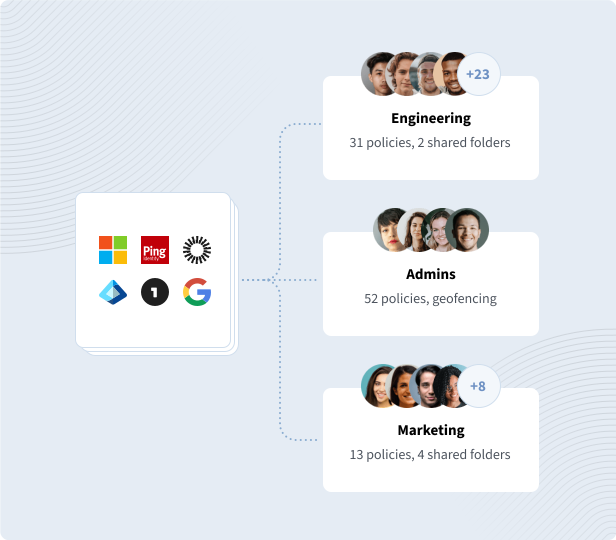
You can automate and scale LastPass deployment across your organization by establishing a directory integration between LastPass Business and Microsoft Azure Active Directory (Azure AD). Ensure that the right people have access to the proper resources while keeping your employees productive.
It's vital for businesses with centralized user management and access control systems to have password management tools like LastPass. A robust password manager covers what IT admins can't control: users' credentials and data not covered by company tools.

- Secure configuration and deployment of LastPass, including group syncing to assign users to policies and shared folders.
- Automated, real-time provisioning and deprovisioning of LastPass user accounts.
- Federated login, which allows employees to log in to their secure vaults using Microsoft Entra ID credentials instead of having a LastPass master password.
- Use your existing multifactor authentication tools or integrate with LastPass Authenticator, which supports passwordless access and is FIDO2-compatible.
Explore integrating Microsoft Entra ID with LastPass
LastPass supports integration with all major identity providers

Microsoft™ Active Directory
A configurable, lightweight client that syncs user profiles from your on-premise AD.

Microsoft™ Entra ID
Through a SCIM API, our Microsoft Entra ID endpoint syncs user profiles from your consolidated cloud directory.

Google Workspace
Automate and scale password management, while saving time for IT, with Google Directory Integration.


PingOne/PingFederate
Manage and provision both users and groups by establishing integration with PingOne or Ping Federate.

OneLogin
Manage onboarding, offboarding, and group assignments by utilizing a SCIM API for your OneLogin directory.

Custom API
Larger enterprises with complex onboarding needs can take advantage of our flexible, powerful API.
Explore other LastPass features

Federated login
With federated login, employees can access their LastPass vault using just their directory credentials.
Explore federated login
Single sign-on
Reduce the number of passwords you need to remember by using LastPass single sign-on (SSO).
Learn more about SSO
Passwordless access
Simplify your employees’ login experience by removing password-related friction.
Explore passwordless
Admin controls
Manage directory integration, users, policies, reporting, and more from a single admin dashboard.
Explore admin controlsFrequently asked questions
Federated login for LastPass Business allows users to log in to LastPass using their organization's Active Directory (Microsoft Entra ID or on-premise Active Directory) without having to create and use a separate master password. Learn how to set up federated login using Microsoft Entra ID.
Once you have set up federated login through Microsoft Entra ID, you can use both the LastPass Admin Console and the Microsoft Entra ID portal to convert existing, non-federated users into federated user accounts without the risk of any data loss.
IT admins can easily benefit from secure administration of LastPass Business accounts by using our Microsoft Entra ID integration. You can view account requirements, then set up and configure the integration. The LastPass Business and Microsoft Entra ID integration offers:
- Secure configuration and deployment of LastPass
- Automated provisioning of LastPass user accounts
- Real-time deprovisioning of LastPass user accounts
- Syncing groups for assigning users to policies and shared folders
Learn how set up SCIM provisioning for LastPass using Microsoft Entra ID.