Feature
Emergency Access
Life happens. But it shouldn't put your passwords, accounts, and sensitive data at risk. Make sure someone you trust can access your LastPass account in the event of an emergency.
Free trial for all plans. No credit card required.

If something ever happens to you, the people you love won't be left searching.
Emergency access lets you give trusted LastPass users access to your vault when they need it. You set the terms so they can get in right away, or only after a wait time you define.
Some common ways families use it:
- Spouse or partner: Store health information in secure notes so they can access it in a medical emergency.
- Children: Give them access to your vault if your health is in serious jeopardy.
- Parents: Ensure you can reach their passwords, insurance details, and digital will if they ever need you to step in.
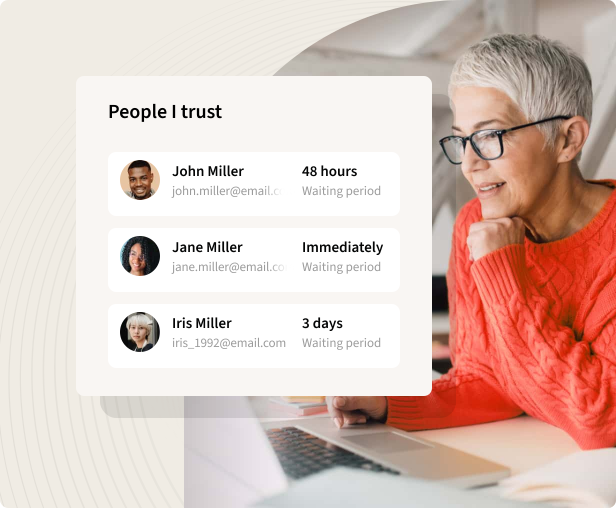
Say your parent has never shared their master password with you. With emergency access, you can still reach their vault when needed. Here's how:
- Ask your parent to log in to their LastPass vault and go to emergency access
- Have them invite you by entering your email and setting a wait time — the window between your access request and when it's approved (account access is granted if the request is not denied within the time window)
- Log in to your LastPass account and accept the invitation
- When the time comes, open your vault, select emergency access, and choose “request access”
- After the wait time passes, you'll have access to their passwords, accounts, and secure notes
Trusted by millions, recognized by experts
Millions
Customers secure their passwords with LastPass


Chrome and App Store rating
Based on 79,300+ reviews
100,000+
Businesses choose LastPass


“I like that LastPass is easy to use and intuitive. It integrates well with all websites and allows me to keep secure encryption for all my personal and work-related accounts. It allows me to organize folders, share with others, and only memorizing one master password for all of those while keeping encryption secure is a relief.”

Kenny Kolijn
Independent business coach
“I use LastPass both corporately and personally. It allows me to securely store and share passwords with my family and co-workers in separate environments and happily generates random secure passwords for me, which prevents me from re-using the same one.”

Erik Eckert
System administrator, MPE Engineering Ltd.
“If you deal with other people's information, as my company does, LastPass is a must. We use it to organize sensitive client credentials, which has never failed us. Its level of security offers us flexibility if we have a vendor or team member that needs access but don't want to share the actual password.”

Sarah Perry
Senior Marketing Director, Small businessExplore other LastPass features

Password generator
Create strong, unique, hacking-resistant passwords for new and existing accounts.

Security dashboard
Get notified of weak, reused, and old passwords with personalized recommendations and alerts.

Save and autofill
Save a password once and LastPass will autofill it for you the next time you need to log in.