Web monitoring and protection - LastPass

Web Monitoring & Protect

Set your sites on safer browsing

Monitor employee web usage and login methods, then set rules to prevent risks — all included in the LastPass Business Max Plan.

No credit card required for trial. After the trial, Business Max is $11 per user/month.
illustration_left-hero_web-monitoring-protect-svg

You can’t govern the sites you can’t see

Every day, your team visits websites you've never seen, never approved, and never assessed for risk. That gap is where incidents start.

4.99M

is the global average cost of a data breach in 2026.

970K+

new phishing sites were created in the first quarter of 2026.

90%

of breaches were caused by preventable gaps: limited visibility, inconsistently applied controls, or excessive identity trust.

Monitor employee internet usage

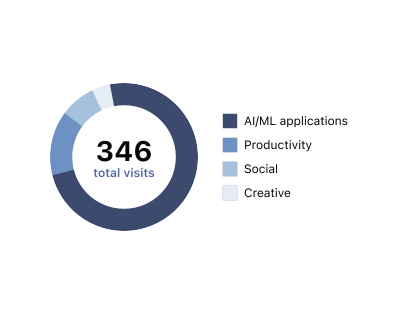
See which websites your team visits by category

Get an organized view of where your team goes online, with website visits grouped by category and details on when each site was last accessed.

illustration_77medium-card_web-category-visits-svg

Discover the websites your team uses

Get a clearer picture of the websites your business uses and the risks they may introduce by tracking web activity in your Admin Console.

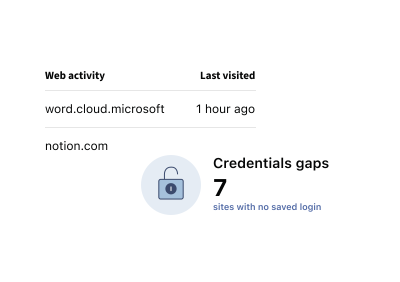
Make sense of how your team uses the web

Review web activity organized by site and category in your LastPass Admin Console, including when sites were last accessed, so you can quickly understand usage patterns and dig deeper when needed.

illustration_100large-card_web-activity-svg

Protect your business from unmanaged web use

Categorize websites automatically

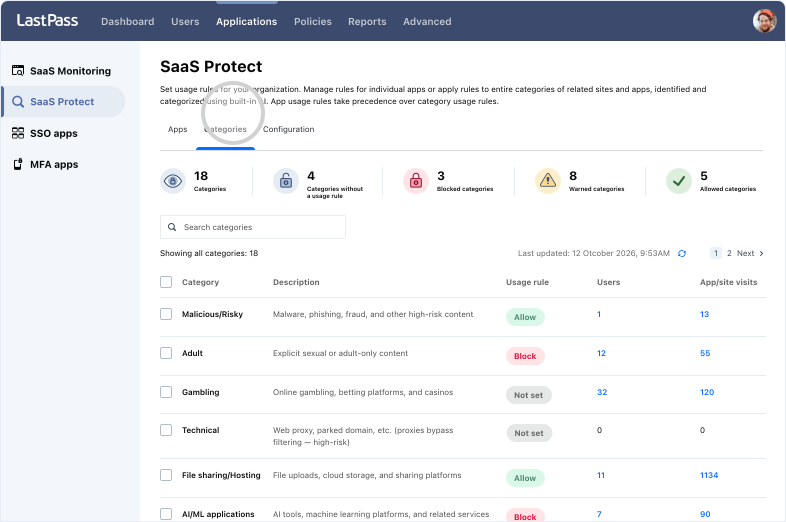
Websites are automatically sorted into one of 25 categories, including social media, gambling, and AI/ML platforms, making it easier to spot usage that needs your attention.

illustration_77medium-card_web-categories-svg

Block risky sites automatically

Keep your team away from phishing, known malware sites, and other high-risk destinations by automatically blocking access with one click.

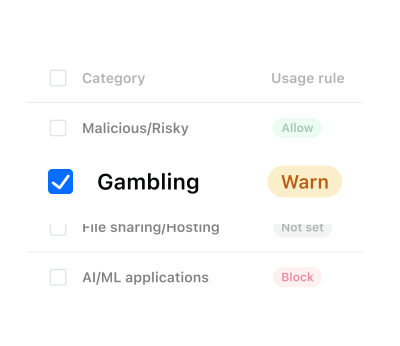
Set website usage rules by category

Stop reviewing sites one by one. Scale your web security by simply choosing ‘warn,’ ‘allow,’ or ‘block’ for 25+ website categories and apply your rule across the entire category.

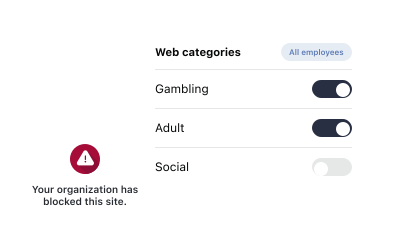
Guide employees with a clear, in-browser message

A blocked site doesn’t have to be a dead end. Instead of a generic error page when a site triggers a rule, employees see a clear in-browser message explaining the site category and directions to make a better choice.

See when web rules get triggered

Every triggered rule is logged, including when a visit is blocked, a warning is shown, or an employee continues after a warning. This gives you a complete record of rule activity across your organization.

Reduce risk with website blocking software

Block risky or unnecessary websites to reduce your organization’s exposure and prevent employees from signing up for accounts and subscriptions that aren't approved.

illustration_100large-card_blocked-site-svg

Web security is just one piece of the puzzle

LastPass also gives you visibility and control across your AI tools and SaaS apps — all from the same Admin Console included in the Business Max Plan.

AI Monitoring & Protect

Discover which AI tools employees use and warn them before sensitive data is shared in real time.
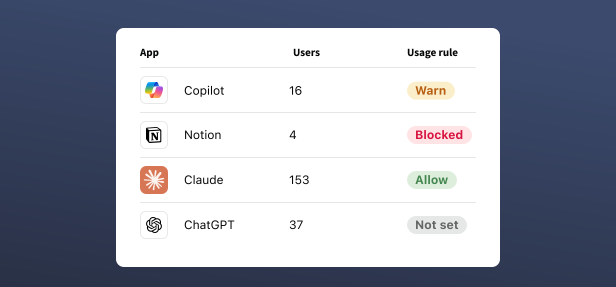
illustration_50half-card_saas-apps-svg

SaaS Monitoring & Protect

Discover shadow SaaS, set app usage rules, and protect business credentials across every SaaS app your team uses.
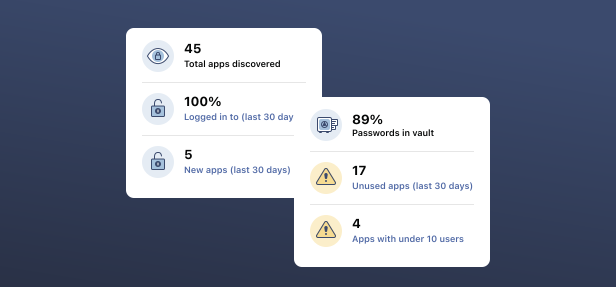
illustration_50half-card_discover-saas-apps-svg

More security without more complexity

icon-s-light_illustrative_secure-deployment-lock-svg

Get up and running without another rollout

LastPass works through the browser extension and apps that employees already use, so there’s nothing new for IT to deploy or employees to install.
icon-s-light_illustrative_security-shield-svg

See your security in one place

Get employee web monitoring alongside the rest of your security data, from password health and leaked credentials to SaaS and AI insights, all in your Admin Console.
icon-s-light_illustrative_secure-login-credentials-lock-svg

Go from seeing to securing

Monitoring and protection work together, so what you discover can directly inform the rules you set, all from the same dashboard and subscription.

Trusted by millions, recognized by experts

Millions

Customers secure their passwords with LastPass

Chrome and App Store rating

Based on 79,300+ reviews

Leader in Password Management

Based on 1,599+ reviews

100,000+

Businesses choose LastPass

logo_large-quote_axxor-svg

I’m sending warnings, not blocking. That way people understand the risks without feeling restricted. It builds trust.

logo_trust-garden_litmos-svg
logo_trust-garden_handshakes-svg
logo_trust-garden_patagonia-svg
logo_trust-garden_hollard-svg
logo_trust-garden_hso-svg
logo_trust-garden_holt-cat-svg

Learn more about Business Max

illustration_resource-card_axxor-2x-jpg
Case Study

Axxor secures global employee access and credentials with LastPass, using SaaS Monitoring and SaaS Protect to guide safe app use.

illustration_resource-card_2026-ai-security-report-2x-jpg
Report

The LastPass 2026 State of AI and SaaS Security Report

What LastPass data reveals about the AI tools, apps, and credential risks flying under IT’s radar.

illustration_resource-card_saas-sprawl-security-2x-jpg
Report

Solving SaaS Sprawl and Security for Small and Medium-sized Businesses

Frequently asked questions

Yes. LastPass gives IT admins employee web monitoring. It shows which websites your team visits, organized by category in the Admin Console. It also shows how employees log in, including whether their credentials are saved in the LastPass vault or managed outside it. That makes it easier to monitor employee web usage, find credential gaps, and guide people toward better habits. Web Monitoring is included in LastPass Business Max.

LastPass reports login method data for the sites your team uses, including whether credentials are saved in the LastPass vault. If you want to monitor employee internet usage and how people authenticate, you can review both in one place in the Admin Console. Nothing new is needed on employee devices, because it runs through the LastPass browser extension they already use.

LastPass enables IT admins to monitor employee internet usage by category, and block or restrict access to websites from the Admin Console. Rules are set by category, and you choose to warn, allow, or block. It works through the LastPass browser extension, so there is no new tool or agent to deploy. That makes it a practical option for small business web filtering as well as larger teams.

Yes. LastPass can act as a web blocker, but blocking isn't your only option. For each website category, you choose whether to warn, allow, or block. With a warning, employees see a clear message in their browser explaining why the site was flagged. Every event is logged in your admin console.

The goal of employee internet monitoring with LastPass is visibility for IT, not watching individuals. Review which websites are visited, organized by category, and how employees log in. LastPass does not read page content, keystrokes, or personal data entered on those sites. The aim is to help you see credential gaps and web risk, so you can set clear rules that protect your team. Requirements vary by region, so check with your legal team about employee notice.

Don't see your questions here? Visit Support Center.

Get started with LastPass for Business

No credit card required for the 14-day trial.