
Caso de éxito
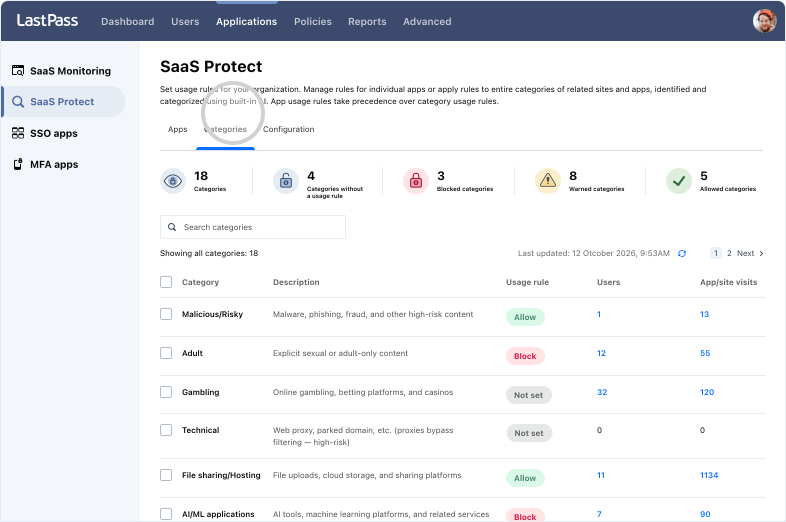
Supervise la actividad web de sus empleados y los métodos de inicio de sesión que utilizan para frenar los riesgos mediante reglas. Todo incluido en el plan LastPass Business Max.
No hace falta una tarjeta de crédito para la prueba. Después de la prueba, puede disfrutar de Business Max por 11 USD por usuario/mes.
es el coste medio de un robo de datos en 2026.
nuevos sitios de phishing registrados en el primer trimestre de 2026.
de los robos de datos tienen su origen en problemas evitables: visibilidad limitada, controles con un nivel de aplicación irregular o confianza excesiva en la identidad.
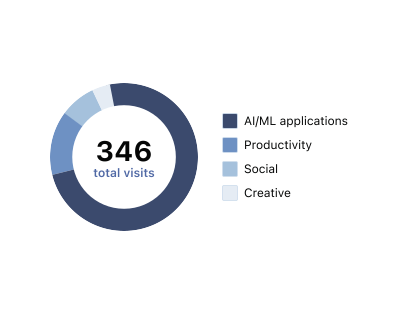
Descubra qué herramientas de IA usan sus empleados y avíselos en tiempo real antes de que compartan información delicada.
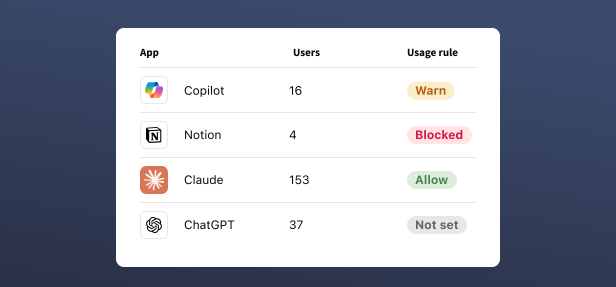
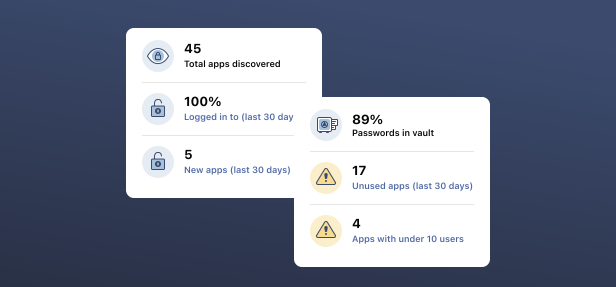
Identifique el SaaS paralelo, configure reglas de uso para las aplicaciones y proteja las credenciales en todas las aplicaciones SaaS que su equipo utiliza.


de clientes protegen sus contraseñas con LastPass

Puntuación en Chrome y App Store
Basada en más de 79300 reseñas

El líder en gestión de contraseñas
Según más de 1.599 reseñasEmpresas que eligen LastPass


Envío avisos en lugar de bloquear directamente. De este modo, los usuarios entienden los riesgos sin sentirse atenazados por restricciones. Ayuda a generar confianza.







Descubra qué revelan los datos recopilados por LastPass sobre los riesgos relacionados con las herramientas de IA, las aplicaciones y las credenciales que escapan al control de los equipos de TI.

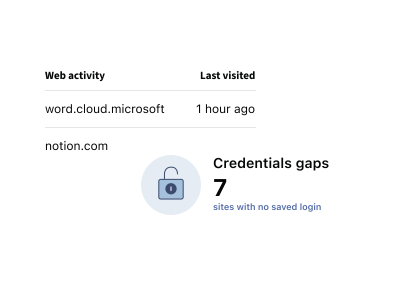
Sí. Con LastPass, los administradores de TI pueden supervisar la actividad web de los empleados: pueden ver qué sitios web visitan, organizados por categoría en la Consola de administración. También pueden averiguar cómo han iniciado sesión, por ejemplo si las credenciales utilizadas estaban guardadas en la bóveda de LastPass o si bien procedían de otra fuente. Con toda esta información, es más fácil supervisar la actividad web de los empleados, detectar problemas de seguridad con las credenciales y mejorar los hábitos de los usuarios. Web Monitoring está incluido en LastPass Business Max.
LastPass registra información sobre el método de inicio de sesión utilizado para acceder a los sitios, incluso especifica si las credenciales estaban guardadas en la bóveda de LastPass. Si le interesa saber cómo utilizan Internet sus empleados y con qué métodos se autentican, la Consola de administración agrupa todos estos detalles en un solo sitio. No es necesario que instale nada en los dispositivos de los empleados, porque funciona con la extensión para navegador de LastPass que ya tienen.
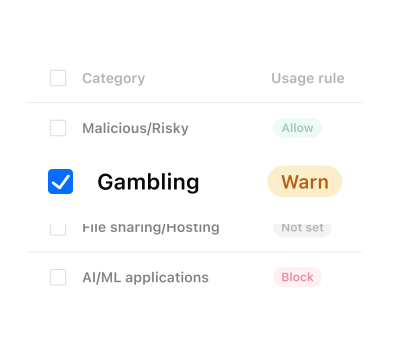
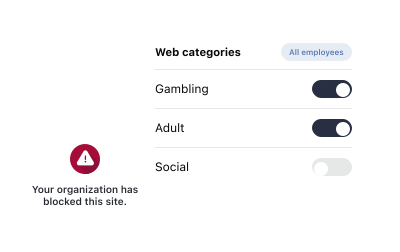
LastPass permite a los administradores de TI supervisar la actividad web de los empleados por categoría y bloquear o restringir el acceso a sitios web desde la Consola de administración. Las reglas se definen por categoría y se puede elegir entre permitir, bloquear o enviar una advertencia. Funciona a través de la extensión para navegador de LastPass, por lo que no es necesario instalar ninguna otra herramienta ni agente. Es una opción práctica para filtrar el uso de sitios web tanto en equipos pequeños como más grandes.
Sí. LastPass permite bloquear sitios web, pero no es la única opción que ofrece. Para cada categoría de sitios web, puede elegir entre permitir, bloquear o enviar una advertencia. En este último caso, a los empleados les aparece un mensaje claro en el navegador donde se les explica por qué reciben la advertencia. Todos los eventos se registran en su Consola de administración.
La finalidad de la supervisión de la actividad web de los empleados con LastPass es ofrecer más visibilidad al equipo de TI, no vigilar qué hace cada persona. Puede saber qué sitios web visitan los empleados, organizados por categoría, y también cómo inician sesión. LastPass no lee el contenido de las páginas, lo que escribe el usuario ni la información personal introducida en estos sitios. El objetivo es mostrarle posibles riesgos con las credenciales y los sitios web para que pueda decidir qué reglas aplicar para proteger mejor a su equipo. Los requisitos varían según la región. Pregunte a su equipo jurídico si es necesario avisar a los empleados.