
Publicación de blog
Gain visibility into the SaaS apps, AI tools, and websites employees use in the browser, all included with Business Max.
No credit card required for trial. After the trial, Business Max is {LPBusinessSSOMFA} per user/month.

Apps go unused within 30 days after signing up
Orgs report moderate to high shadow AI, while 19% don't know the extent
Browser-based phishing attempts using brand impersonation
You've uncovered the risks across your SaaS apps, AI tools, and web activity. Now take the next step to control access, enforce policies, and protect your business.
de clientes protegen sus contraseñas con LastPass

Puntuación en Chrome y App Store
Basada en más de 79300 reseñas

El líder en gestión de contraseñas
Según más de 1.599 reseñasEmpresas que eligen LastPass


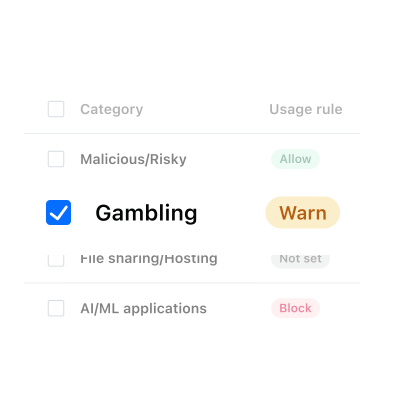
Envío avisos en lugar de bloquear directamente. De este modo, los usuarios entienden los riesgos sin sentirse atenazados por restricciones. Ayuda a generar confianza.


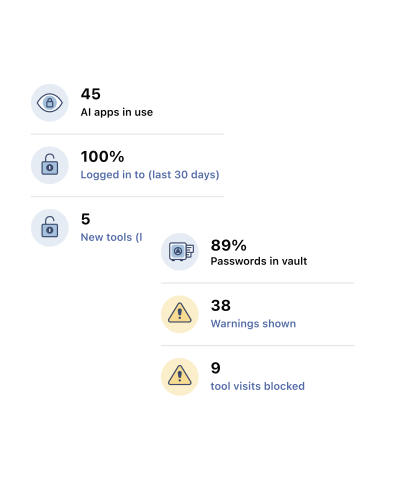
Many organizations know employees are adopting new AI tools and SaaS apps but lack the time, staff, or infrastructure to continuously track them. LastPass Business Max can provide SaaS discovery and shadow AI governance through the LastPass browser extension. With built-in monitoring and governance capabilities, your team can monitor shadow AI and SaaS adoption, identify potential risks, and apply controls without deploying additional agents, proxies, or more staff.
You can see SaaS usage without a full Defender deployment. LastPass SaaS Monitoring runs through the LastPass browser extension, so you get a live view of new apps, unused apps, and credential exposure without configuring multiple consoles.
Defender for Cloud Apps is powerful, but it works best when it's fully deployed and staffed to run. If you already use Defender, LastPass complements it. Defender discovers and assesses apps, while LastPass covers how people sign in, including apps outside SSO.
It depends on whether your core problem is SaaS operations or SaaS security. SaaS management platforms like Zluri connect to finance systems and identity providers, which makes them strong for license optimization and renewals.
LastPass SaaS Monitoring discovers SaaS usage, identifies apps operating outside SSO, highlights inactive apps, and provides visibility into credential-related risks. And SaaS Protect adds policy controls that can be applied on a per-app basis.
If your primary focus is SaaS operations and license management, you may prefer a SaaS management platform. If you're looking to improve SaaS discovery and access security, you may benefit from LastPass. Some organizations use both to address different aspects of SaaS governance.
For most small to mid-sized teams, browser-level visibility and governance can be a practical first step towards addressing AI, SaaS, and web-related risks, while a full SSE platform could be useful for broader network-level inspection and control as security requirements mature.
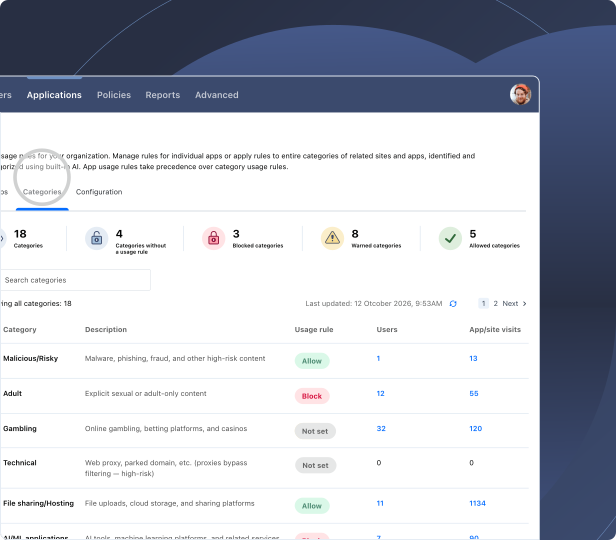
An SSE platform can inspect traffic across the network, providing deeper enforcement capabilities, but it often requires agents, network configuration, and ongoing tuning. LastPass needs no new agents, DNS changes, or proxy setup. It gives you SaaS and AI visibility, in-browser AI guardrails, and enterprise web filtering via the LastPass browser extension. Note: Your organization may require an SSE platform if you need inline inspection of all network traffic or coverage beyond the browser.
To accelerate AI adoption and reduce risk at the same time, leverage the sequence LastPass capabilities are built around: See it first and then govern.
In the 2026 State of AI & SaaS Security Report, 68% of IT leaders named sensitive data entering AI tools as their #1 concern, yet their confidence in detecting it was just 2.5 out of 5.
With LastPass Business Max, these capabilities are at your fingertips:
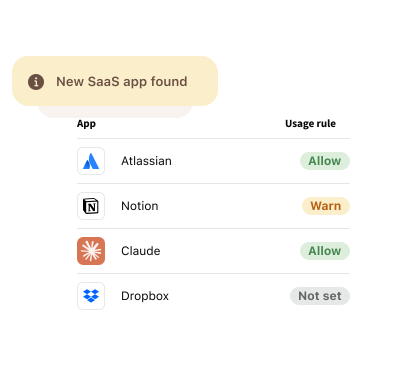
To approve some AI tools and warn people off others, set a rule for each tool in AI Protect:
AI Protect also lets you reinforce security awareness training by alerting your employees before credentials, API keys, or other sensitive data are shared with AI chatbots like Claude, Gemini, CoPilot, or ChatGPT. Essentially, AI Protect acts as another layer of defense by reinforcing security awareness at the moment of risk, before data leaves your organization.

