
Simply improve password habits with LastPass
With LastPass, individuals, families, and businesses can protect their digital lives across every device, from anywhere – from the workplace to home.
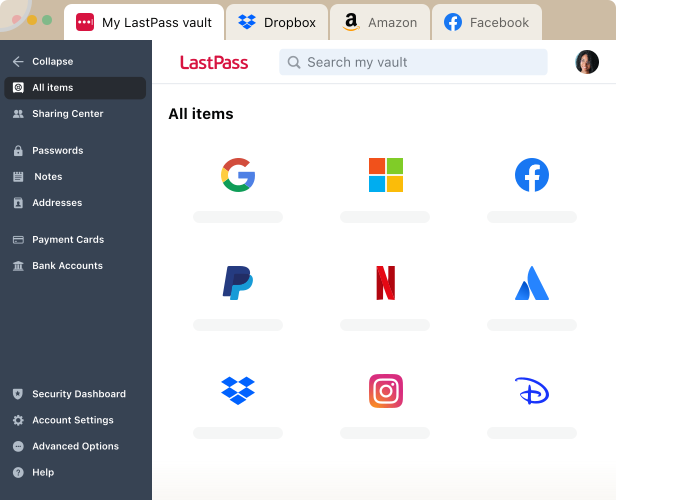
With LastPass, individuals, families, and businesses can protect their digital lives across every device, from anywhere – from the workplace to home.

Save, manage, and autofill your passwords on any trusted device.

Eliminate password reuse with the built-in password generator.

End-to-end encryption makes password sharing as secure as possible.

Keep track of password habits with real-time reports and proactive alerts.
Simple credential management for small teams and startups
Easily manage your company’s password health, accounts, shared folders, and policies from a unified command center.
Share passwords and data in organized folders while controlling access through customizable permissions to ensure team members have the appropriate level of access and enhance collaboration and security.
Configure policies around security levels and password strength to ensure optimal protection.
Effortless password and access management for small and medium-size businesses
Extend the convenience and protection of LastPass to your employees' families to reduce the risk of compromised personal accounts affecting workplace security. Each employee gets a personal LastPass account plus 5 licenses to share with family and friends.
Import or create groups to efficiently organize employees, optimize shared credentials, and establish group-specific policies, ensuring tailored security and access for every team.
Advanced protection and secure access for any business with more admin control
Discover AI tools used across your organization, govern access and usage, and enforce safe-prompt policies to reduce risk.
Get visibility into the apps used across your organization, identify security and spending risks, and take action to govern access and credential risks.
Gain visibility into website usage and enforce smarter access rules to reduce risk and costs.
“Unlimited SSO” adds Single Sign-On (SSO) to an unlimited number of apps, in addition to the three included in the base Business plan.
“Advanced MFA” extends passwordless authentication to all endpoints – workstations, VPNs, identity providers – by combining biometric and contextual policies.
Individual plan that ensures secure password management across all your devices
LastPass has two accessible device types: computer (all browsers running on desktops and laptops) or mobile (mobile phones, smart watches, and tablets).
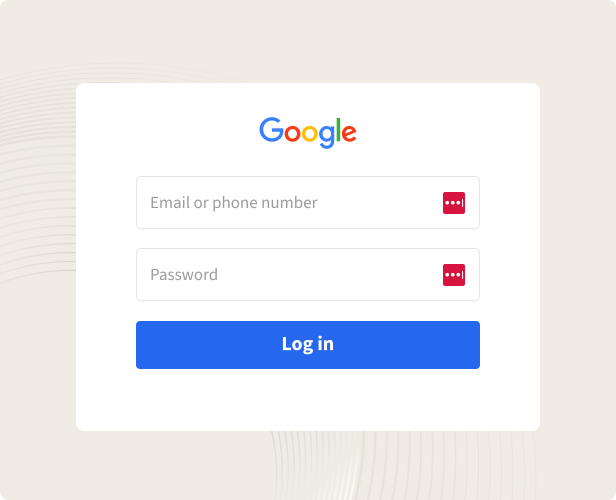
Automatically save and autofill your passwords and forms, so you never have to type and remember them.
Keep your household’s logins secure and always within reach at home or on-the-go
Give each “Families” plan member an independent, encrypted password vault to safely store passwords, that no one – not even a family admin – can access.
Not ready to try or buy a paid plan? Try our Free plan instead, you can always switch to Premium later.
Contact Sales team to request a demo, learn about admin and end user features and see how LastPass solutions fit your business needs.
*Applicable taxes will be applied at checkout.
Customers secure their passwords with LastPass


Chrome and App Store rating
Based on 79,300+ reviews
Businesses choose LastPass


“I like that LastPass is easy to use and intuitive. It integrates well with all websites and allows me to keep secure encryption for all my personal and work-related accounts. It allows me to organize folders, share with others, and only memorizing one master password for all of those while keeping encryption secure is a relief.”

Kenny Kolijn
Independent business coach
“I use LastPass both corporately and personally. It allows me to securely store and share passwords with my family and co-workers in separate environments and happily generates random secure passwords for me, which prevents me from re-using the same one.”

Erik Eckert
System administrator, MPE Engineering Ltd.
“If you deal with other people's information, as my company does, LastPass is a must. We use it to organize sensitive client credentials, which has never failed us. Its level of security offers us flexibility if we have a vendor or team member that needs access but don't want to share the actual password.”

Sarah Perry
Senior Marketing Director, Small business