Bring your passwords with you
With LastPass Premium and Families, save a password once and it's instantly available across all your devices.



With LastPass Premium and Families, save a password once and it's instantly available across all your devices.
Improve personal and family digital safety with superb password management tools from LastPass.

Sign in to accounts from anywhere, with any device.

Remain alert of data breaches with preventative dark web monitoring.

Assess and improve password behavior with your up-to-date security score.

Each user gets their own personalized account with LastPass Families.
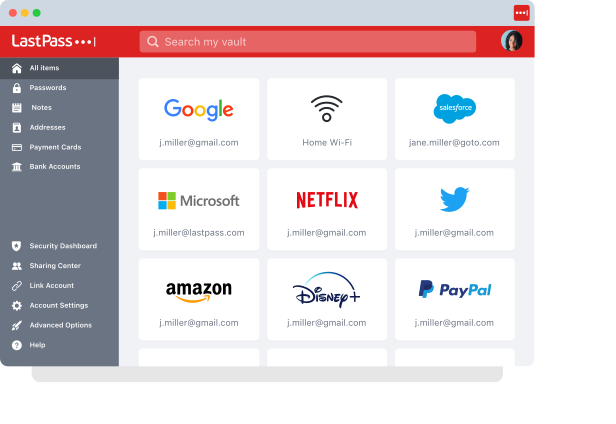
Go beyond basic password storage and protect your entire digital life with LastPass Premium.

At LastPass, we celebrate that no two families are alike. Whether your family includes spouses, significant others, parents, kids, distant relatives, friends or roommates, they’re all part of what makes LastPass Families so special. For just $1 more a month, Families includes everything in Premium, plus:


Chrome and App Store rating
Based on 79,300+ reviewsCustomers secure their passwords with LastPass

Leader in Password Management
Based on 1,599+ reviews


“I like that LastPass is easy to use and intuitive. It integrates well with all websites and allows me to keep secure encryption for all my personal and work-related accounts. It allows me to organize folders, share with others, and only memorizing one master password for all of those while keeping encryption secure is a relief.”

Kenny Kolijn
Independent business coach
“I use LastPass both corporately and personally. It allows me to securely store and share passwords with my family and co-workers in separate environments and happily generates random secure passwords for me, which prevents me from re-using the same one.”

Erik Eckert
System administrator, MPE Engineering Ltd.

“I have been with LastPass for about two years now and it's one of those apps that you wonder why it took so long to start using. The absolute frustration of trying to keep track of passwords manually was so stressful. LastPass takes the stress away. It is extremely easy to use in my opinion, and has some great security features.”

Bart Nanni
Security services sales executive

Enhanced password management and security accessible across all your devices.
Upgrade you secure notes storage from 50 MB (Free plan) to 1 GB. Digitally backup critical documents you want to keep safe: passport, credit cards, insurance cards, tax documents, etc.
Share passwords and log-in credentials with LastPass users you trust for convenient, safe account access.
Enhance security by employing fingerprint sensors and card readers or 3rd-party hardware key, YubiKey.
Grant one-time access to your vault to another LastPass user in the event of an emergency or crisis.
Secure password management for up to 6 users with easy, unlimited password sharing.
Every Families member gets an independent, encrypted password vault, that no one – not even a family admin – can access. Vaults include all LastPass Premium features.
Share as many account details and items with fellow LastPass users in convenient folders, ensuring access is authorized and safe.